

Where You Can Apply
You have two ways to renew your TRC:
-
In person at the Foreign Police office (with an appointment made online) where you have accommodation contract. Your application must be submitted in the district where your accommodation (flat or house) will be situated (where you will live during your residence in Slovakia). For example, a client who originally applied in Košice but later relocated to Bratislava had to apply for renewal in Bratislava.
-
Online through the Ministry of the Interior’s portal. This electronic service requires additional setup and can be used only after activating your electronic ID card.
Documents You Need
Prepare the following documents before you start the renewal process:
-
Old temporary residence card
-
Valid passport
-
Completed renewal application form
-
Recent passport‑size photograph
-
Proof of residence in Slovakia (for example, a lease agreement or ownership certificate) Important: students do not need to submit proof of accommodation as they can be registered for city district
These requirements are outlined in the original Slovak guide. Additional documents may be requested depending on your situation (e.g. employment or study confirmation), so check the latest guidelines on the Ministry’s website.
Step‑by‑Step Preparation
1. Activate Your TRC Card and Obtain BOK/PIN Codes
Before you can use the e‑services portal, you must activate your TRC card at the Foreign Police. During activation you will receive two codes:
-
BOK (Basic Authentication Code) – required for logging into e‑services and signing documents.
-
PIN – used when creating electronic certificates.
Remember to ask for these codes and keep them safe, as they will be needed at almost every step.
2. Get a Smart Card Reader
Electronic signing requires a smart card reader. The Slovak guide recommends the AXAGON CRE‑SM4N Smart Card/ID Card StandReader with a 1.3 m USB‑A cable https://www.alza.sk/axagon-cre-sm4n-smart-card-id-card-standreader-usb-a-cable-1-3-m-d7579549.htm . Other compatible smart card readers should also work, but ensure that they support Slovak eID cards.
3. Connect Your Card and Install the Required Software
Plug the smart card reader into your computer and insert your TRC card. Then visit the government’s download page (https://www.slovensko.sk/sk/na‑stiahnutie) and use the operating system test to identify which applications you need.
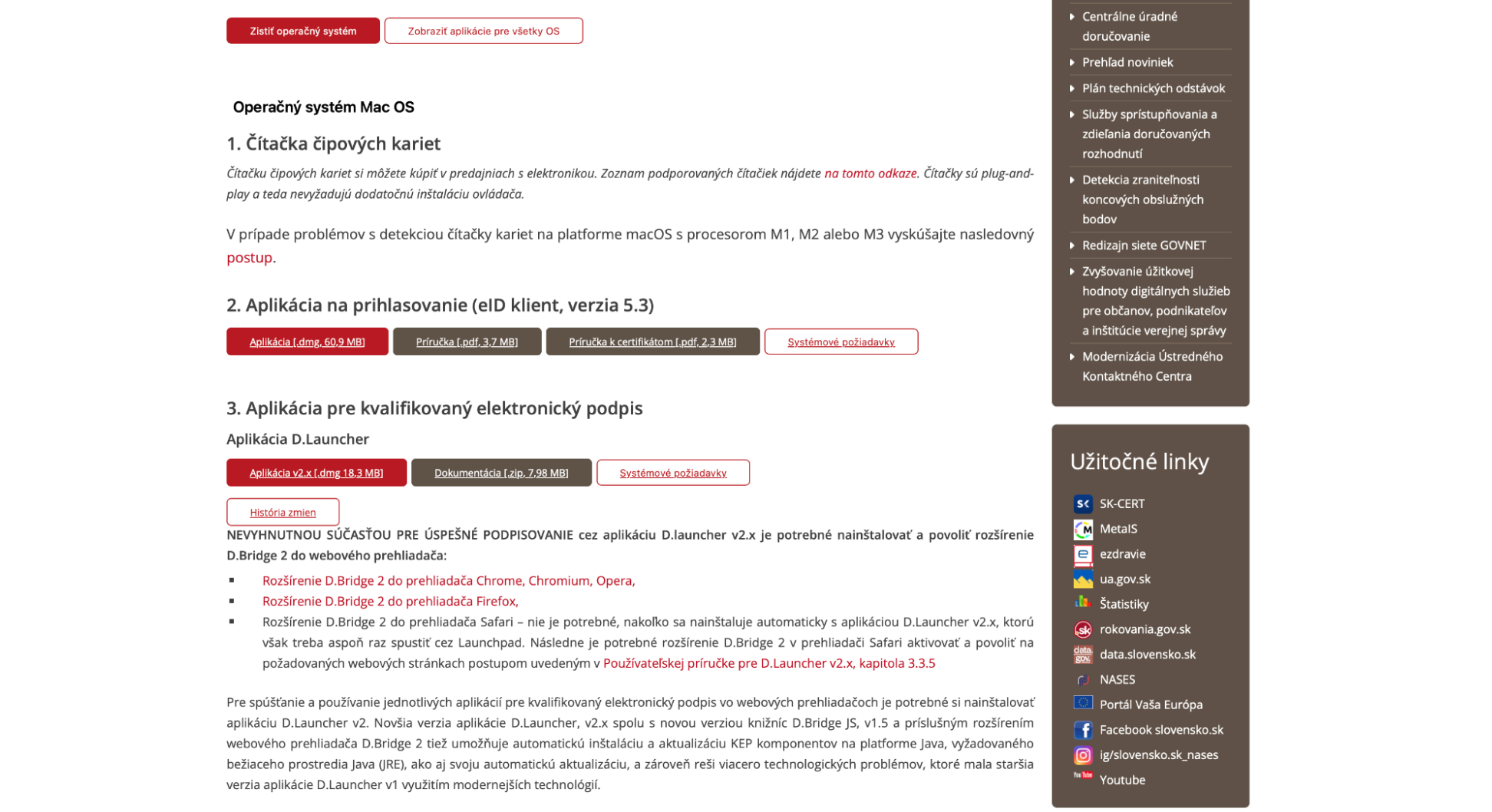
Typically you must install:
EID Klient – provides access to the card https://eidas.minv.sk/downloadservice/eidklient/mac/eID_klient.dmg.
D.Launcher – required to launch signing tools https://www.slovensko.sk/static/kep/apps/dlauncher2_2.x/DLauncher2.mac.dmg.
D.Bridge browser extension – enables electronic signatures in web browsers
https://chrome.google.com/webstore/detail/dbridge-2/fngbdhimbgbonhlibfmiemipheabfdmj?hl=sk
Follow the on‑screen instructions to install these applications and browser extensions. When prompted, enter your BOK code to allow access
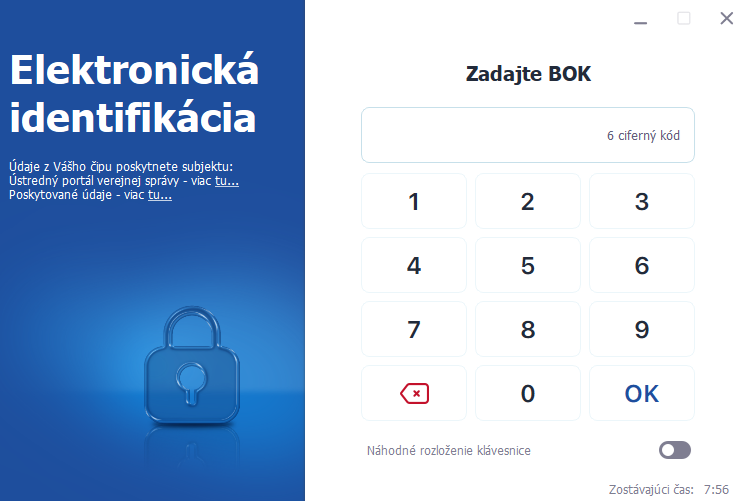
You may also be asked to install d.launcher 2 or other components; install them as instructed.
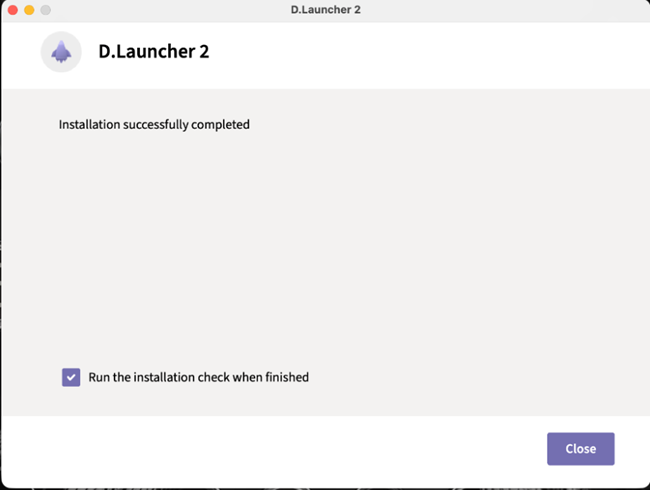
Then you will be transferred to a page that looks like the following:
This is the installation control. If the control is successful, click on Spustiť test vytvorenia podpisu.
You will be asked to download another component:
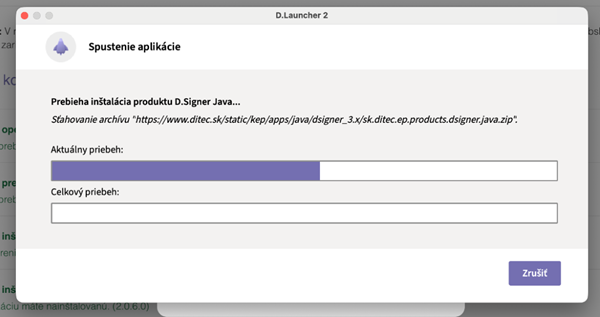
4. Create and Sign Electronic Certificates
Once the software is installed, you need to generate electronic certificates (digital signatures) for your TRC card. Open the EID Klient application and select “Create certificate.” The system will request your BOK and PIN codes.


Read the prompts carefully and follow the instructions. After the certificates are issued, you must sign them using the WebSigner and D.Signer Java applications.
Signing is done on the computer; the software guides you through each step.
5. Access the Online Renewal Service
With your certificates created and signed, go to the Ministry’s renewal service page.
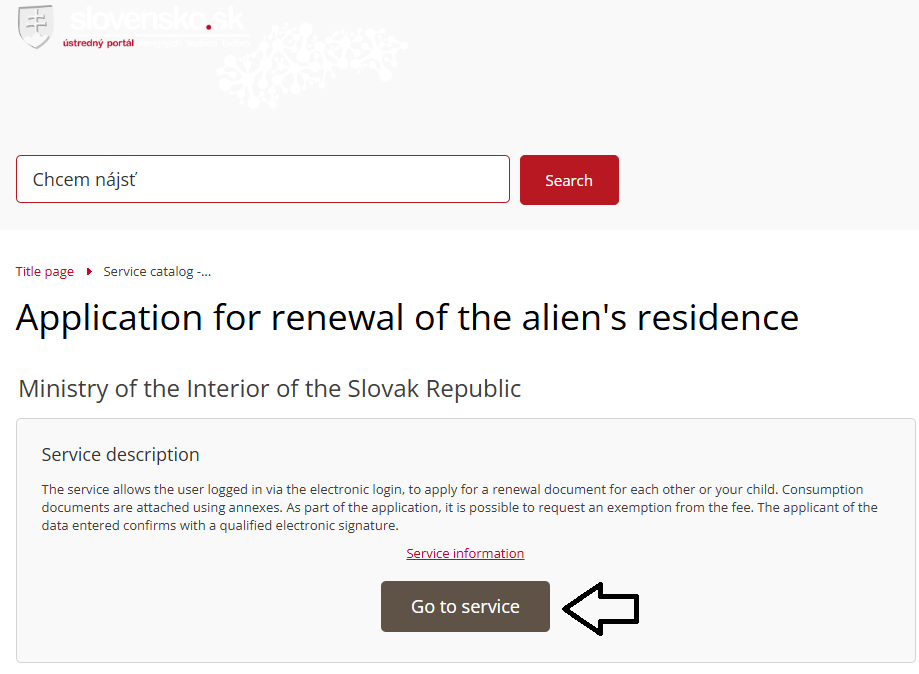
Click “Prejsť na službu” (Proceed to service). When prompted, choose “Prihlásiť sa pomocou slovenského dokladu” (Log in using Slovak document), then authenticate with your TRC card and enter your BOK code. You will be redirected to the ministry’s platform where you can complete the renewal application form.
6. Submit Your Application
Fill out the online form carefully, attach scanned copies of the required documents, and verify all information. Once everything is complete, sign the application electronically using your digital certificates. Submit the form and note any confirmation or reference number provided. You may still need to attend an appointment at the Foreign Police to submit original documents, provide biometrics or collect your new card—follow any instructions you receive.
Tips for a Smooth Renewal
- Start early. Begin gathering documents and booking appointments at least two months before your current card expires.
- Check your address. You must apply in the district where you are currently registered.
- Keep your BOK and PIN safe. You will need these codes throughout the electronic process.
- Install all required software. Be prepared to install multiple applications and browser extensions.
- Stay patient. Slovak e‑services can be slow or unreliable, so allocate extra time for online steps.
How Move to Košice can help
At Move to Košice, we help foreigners understand the practical steps of settling in Košice, Slovakia. For long-term residence applicants, this may include guidance on the residence process, document preparation support, appointment guidance, and connecting you with trusted partners when legal advice is needed. Please email us to hello@movetokosice.sk